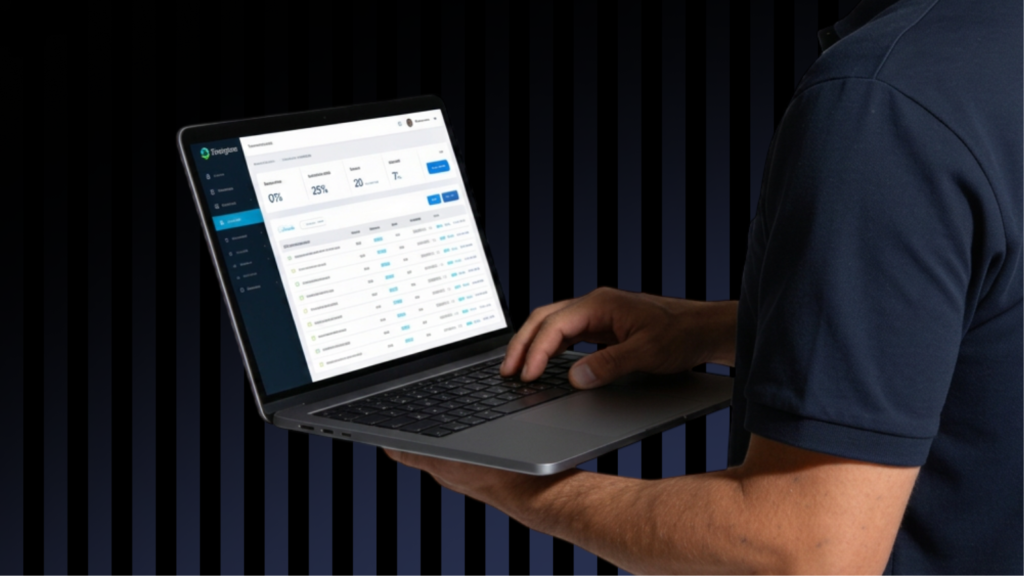

You are probably paying for features you have never opened.
Not because your CRM is bad. Because the person who set it up during a busy season got the basics working and never came back. And now you have been on the same plan for two years, paying for automation you have never touched, and the leads that could have been captured by that automation went somewhere else instead.
The features already in your CRM that most home service businesses never turn on:
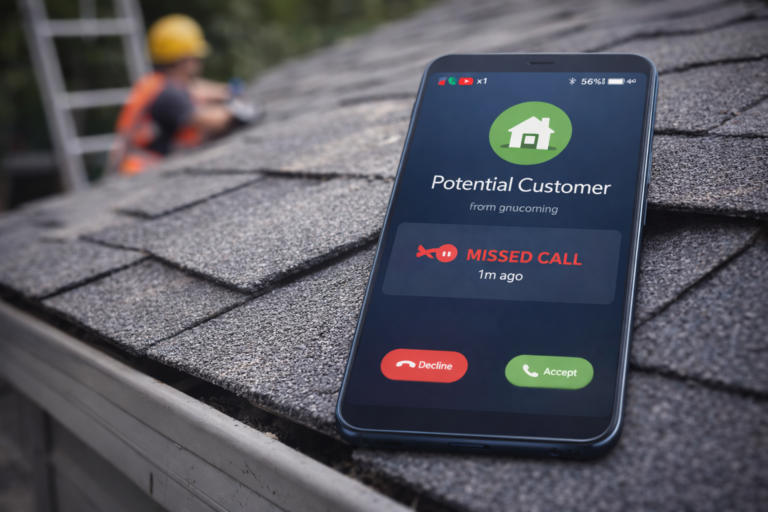
- Missed-call text-back that responds before the homeowner calls the next plumber
- Follow-up sequences that keep a quote alive without anyone lifting a finger
- Review requests that go out automatically when a job closes
- Attribution reports that show which channel is actually booking jobs, not just generating calls
According to Insightly’s 2025 CRM Research Report, only 34% of teams fully use their CRM. Teams that do are four times more likely to report significant revenue growth.
This is not about switching platforms. It is about finding what you already paid for.
Why Most Home Service Businesses Only Use Half Their CRM
Most home service businesses only use half their CRM because onboarding covers scheduling and invoicing, and nobody ever comes back to show the office staff what else is in there.
Here’s how it typically goes. The CRM gets set up during a busy season by whoever had time that week. They get the basics working: job scheduling, invoicing, customer records. Then things get busy, onboarding ends, and the platform never gets touched again except for those three things.
Feature updates roll out quietly. New automations appear in menus that nobody opens. Review request functionality gets added and nobody notices.
The result: a business paying $150 to $300 a month for a tool that’s functioning as a glorified spreadsheet.
I’ve had this conversation dozens of times. An owner calls asking about a new CRM because theirs “doesn’t do” something. Half the time, it does. They just haven’t found it yet. If you’re not sure what’s already in your platform, see our breakdown of the best CRM for home service companies and what each one actually includes.
4 Features That Turn Missed Calls Into Booked Jobs
These are the features that catch a lead the moment it comes in, before a competitor answers.
1. Missed-Call Text-Back
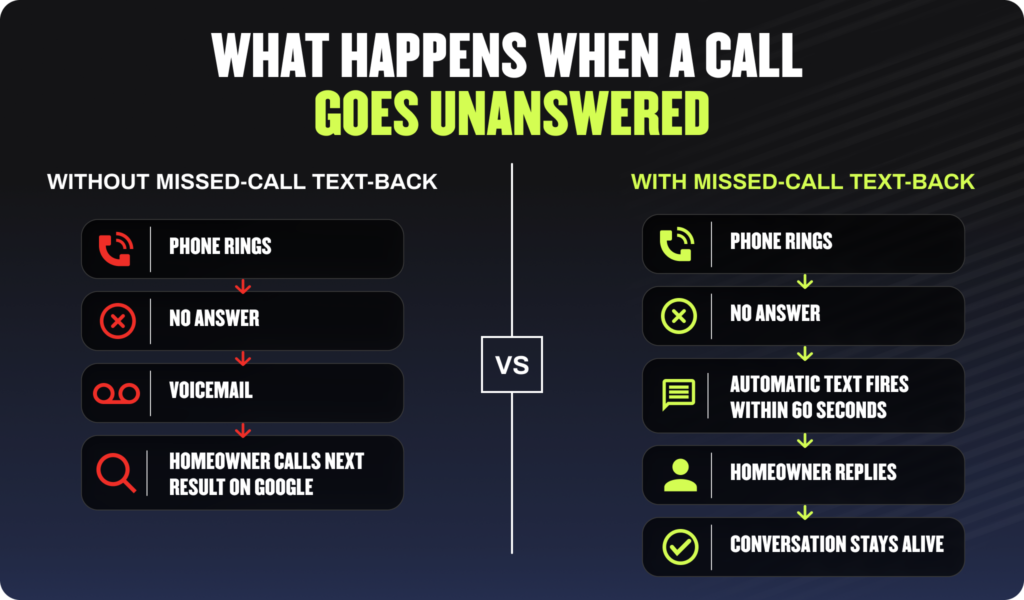
When an inbound call goes unanswered, most CRMs can automatically fire a text to that caller within seconds. Instead of reaching voicemail and moving on, the homeowner gets a real message and stays in a conversation.
The cost of not having this turned on is significant. Most callers who reach voicemail don’t try the same business again in home services, and the first company to respond usually wins the job. Our breakdown of what a missed call is actually worth makes this more concrete if you want to run the math for your own business.
In ServiceTitan, this lives under Marketing Pro automations. In Housecall Pro, it’s under the Notifications settings. In Jobber, it’s available through their automated client communications menu. Most plans include it. Most businesses haven’t turned it on.
2. Unified Lead Capture From Every Channel
Most CRMs can pull calls, web form submissions, Google Business Profile messages, and ad leads into one inbox instead of five separate logins. Avoiding missing leads is mostly an operations problem, not a marketing problem: a lead sitting in a Facebook inbox or a GBP message thread nobody checks until Friday afternoon is a lead that’s already hired someone else.
ServiceTitan’s unified inbox through Marketing Pro pulls in web leads, call recordings, and message threads. Housecall Pro’s Conversations tab consolidates SMS, email, and form submissions. Jobber syncs with online booking and can route web inquiries into the same view as in-app jobs.
3. Automatic Lead Routing
Leads can be auto-assigned to whichever rep or CSR is available based on rules you set, instead of sitting in a shared inbox waiting for someone to notice.
Routing rules can be set by service area, job type, or time of day. A roofing company with separate residential and commercial teams can route commercial inquiries to the commercial rep automatically. An HVAC company with service techs in different zones can route by zip code.
4. Speed-to-Lead Alerts
Most CRMs can push an instant notification to a phone or a Slack channel the second a new lead comes in. The gap between “lead arrived” and “someone saw it” is where jobs go to competitors.
We ran a PPC campaign for Bear’s Plumbing that generated 256 marketing-qualified leads at a $124 cost per conversion. The marketing did its job. What determined how many of those turned into booked jobs was how fast the team responded when the leads came in, not the campaign itself. You can see the full Bears Plumbing case study for the breakdown.
4 Features That Keep Leads From Going Cold
Once the lead is captured, these features are what keep it from going quiet.
I had Ryan Finn of Chirp on our podcast to talk about follow-up messaging that actually gets responses. He’s spent years analyzing what makes a follow-up text work versus what gets ignored. The thing he said that stuck with me:
“Marketing is extremely important, but follow-up is every bit as important. I see a lot of people focusing a lot of their effort just on the marketing and not putting as much effort into the follow-up, and they’re just looking for new leads, new leads, new leads instead of converting at the highest rate possible.”
Ryan’s platform Chirp has run hundreds of millions of dollars worth of home service sales through follow-up automation. His point is that the words and timing of a follow-up message are as important as any marketing channel you pay for.
5. Tag-Based Automated Follow-Up Sequences
Leads can be tagged by service type or lead stage, triggering an automatic sequence of texts or emails without a human remembering to send them. A tag for “unsold HVAC estimate” triggers a follow-up at day two, day five, and day ten. A tag for “new inquiry” triggers an immediate response and then a check-in 48 hours later. Follow-up templates for contractors covers the actual copy that gets responses if you need a starting point for what to say.
In Housecall Pro, this lives under the Automations menu. You can see in the screenshot below exactly how a follow-up sequence gets configured: the trigger, the delay, and the message all sit in one view. The key is setting up your job categories and tags consistently before turning this on. If your lead statuses are inconsistent, the automations pull messy data and produce inconsistent results.
6. Quote and Estimate Follow-Up Reminders
Most CRMs can flag an open estimate that’s gone quiet and prompt a follow-up at set intervals. A plumbing company we work with had a CSR spending 20 minutes every morning manually reviewing open quotes to decide who to call. Their CRM’s estimate follow-up reminder had been sitting unconfigured in the automations menu the whole time.
Once turned on, the same task ran automatically and the CSR reclaimed that 20 minutes every single day. For more on what kills a contractor’s follow-up system, that post is worth reading before you build anything.
7. Reactivation Campaigns for Dormant Customers
CRMs can auto-flag customers who have not booked in 12 months and trigger a seasonal or check-in message, turning the existing customer list into a low-cost lead source.
A winter HVAC tune-up campaign sent to customers last served in spring costs almost nothing if the CRM handles the triggering. The alternative is a manual export, a manual review, a manual message blast, which is why most businesses never do it.
For the full approach to building a system around this, see our guide to a contractor follow-up system that actually runs.
8. Two-Way Texting Inside the CRM
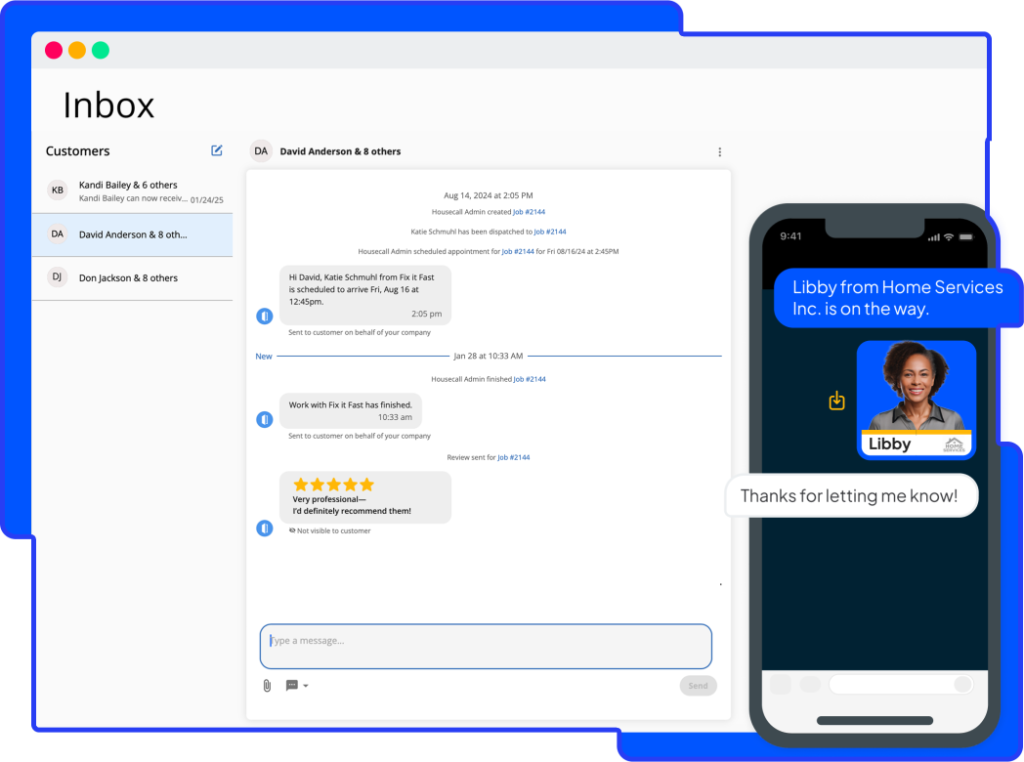
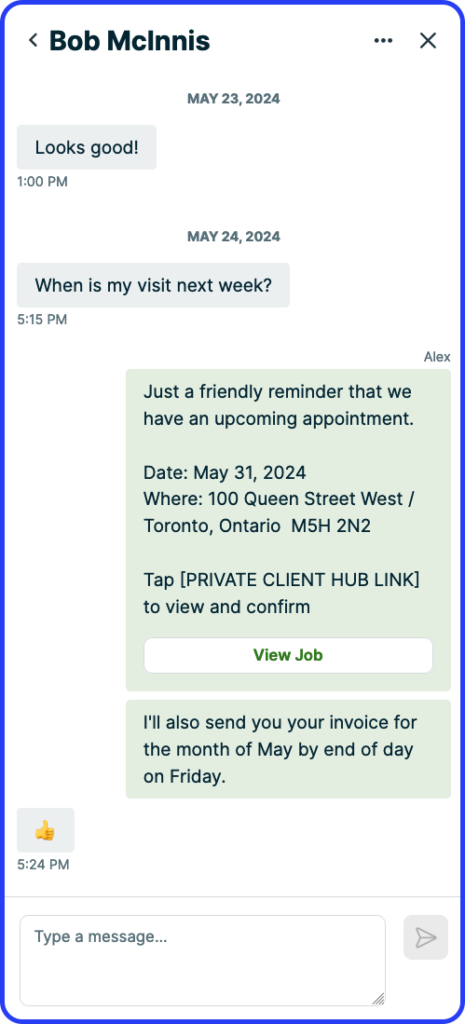
Replying to a customer text from inside the CRM keeps the conversation logged on the customer record for anyone on the team to see. When a homeowner texts the business phone and the owner replies from their personal cell, that conversation is invisible to the rest of the team.
Jobber’s client communications screen is a good example of what this looks like in practice. The full thread lives on the client record, visible to anyone with access. It takes about five minutes to route your business text number through the CRM. Most offices have not done it.
3 Features That Turn Finished Jobs Into More Jobs
These are the features that turn a completed job into future revenue, and they are some of the most skipped in the CRM.
9. Automated Review Requests
Most CRMs can trigger a review request text the moment a job is marked complete or an invoice is paid, instead of relying on a tech to remember to ask. The text can go out automatically with a direct link to the Google review page. Google reviews and SEO are directly connected: more recent, specific reviews improve local pack ranking and convert skeptical homeowners before they call.
Housecall Pro includes automated review requests in their Pro and MAX tiers. ServiceTitan handles this through Marketing Pro. Jobber includes automated client follow-ups with review request functionality in the Connect and Grow plans. None of them require any manual action once configured. Most home service businesses are still asking techs to remember to mention it at the door.
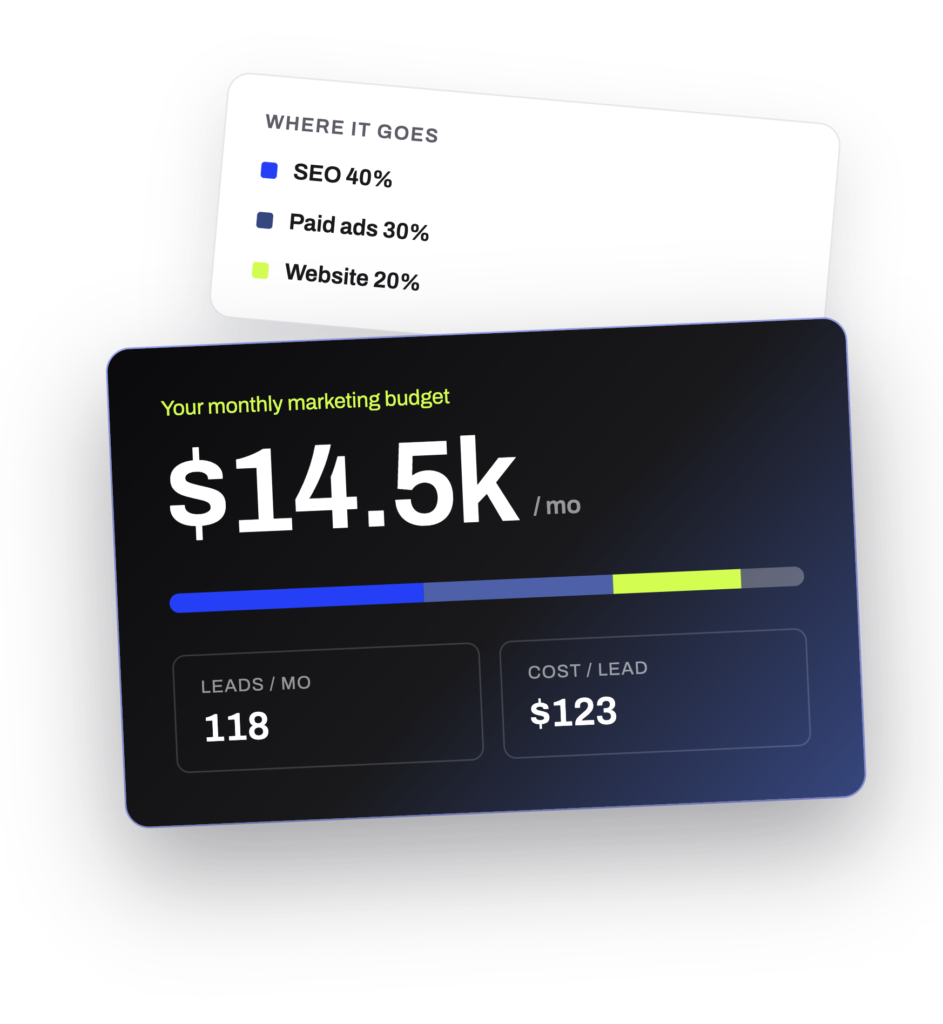
Try Our Free Marketing Budget Calculator
Use as a guidepost along your journey so that you can find the most accurate and appropriate marketing budget and digital marketing budget for your company!
10. Job and Equipment History Notes
CRMs can store notes on equipment installed, past issues, or property-specific details so any tech who answers the next call already has context.
A few things worth noting in a property record:
- Dog on premises
- Gate code
- Last equipment brand and model installed
- Homeowner preference for morning vs afternoon appointments
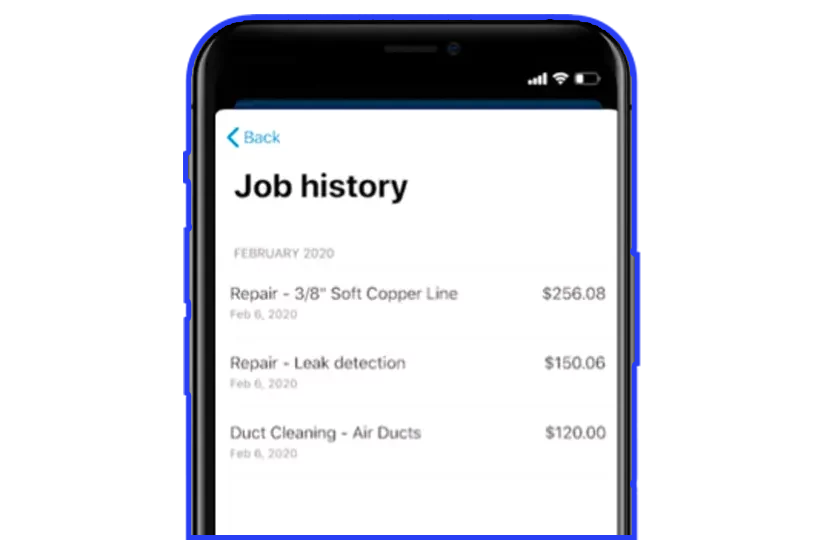
Housecall Pro’s job history is where this lives. The customer record holds everything from past job details to property notes, and any tech pulling up that record before a call has the full picture. When a homeowner calls back and the tech already knows the gate code and the water heater brand, that is a trust signal the homeowner notices. Most offices use these fields for nothing.
11. Referral Tracking Tags
Referral sources can be tagged at intake, making it possible to see which past customers are sending the most business over time.
Once you know which customers generate referrals, you can follow up with a genuine thank-you, add them to a referral incentive program, or just make sure they get exceptional service on every future call because they are worth more than a single job.
3 Reporting Features Most Owners Never Open
The reporting tab is usually the least-opened part of the CRM, and it is where the answer to “what is actually working” lives.
12. Lead Source Attribution Reports
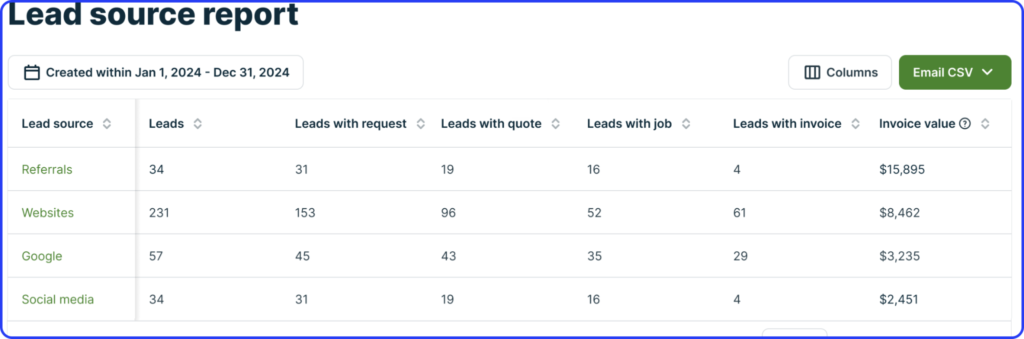
This shows which channel is actually producing booked jobs, not just leads or calls.
There is a meaningful difference. A Google ad campaign might generate 80 leads a month. An organic search strategy might generate 40. If the ad leads close at 20% and the organic leads close at 55%, the channel producing fewer leads is producing more revenue. You can only see that in a lead source attribution report.
Jobber’s reporting dashboard breaks this down by source so you can see exactly where your booked jobs are coming from. Genz-Ryan grew to 197 total qualified organic leads with a 25% year-over-year increase during a campaign we ran for them. Every month the question was where to put next month’s budget. Attribution reporting answered that instead of guessing.
13. Technician and Rep Performance Scorecards
Most CRMs can break down close rate, average ticket, and customer satisfaction score by individual rep or tech, surfacing coaching opportunities that are invisible in day-to-day scheduling.
A tech with a high average ticket and low close rate is a different coaching conversation than one with a high close rate and low average ticket. Both conversations are worth having. Most owners are not having either because they are looking at aggregate numbers instead of individual performance breakdowns.
14. Customer Lifetime Value by Segment
CRMs can segment customers by service type or acquisition source to show which type of customer is worth the most over time, not just per job.
A customer who came in on an emergency call and has booked four maintenance appointments since is worth far more than the revenue from that first call. Knowing that changes how much you are willing to spend to acquire that customer type in the first place.
A Simple CRM Feature Audit You Can Run This Week
Most owners do not know what is already available in their plan. Run through this checklist against your current CRM setup:
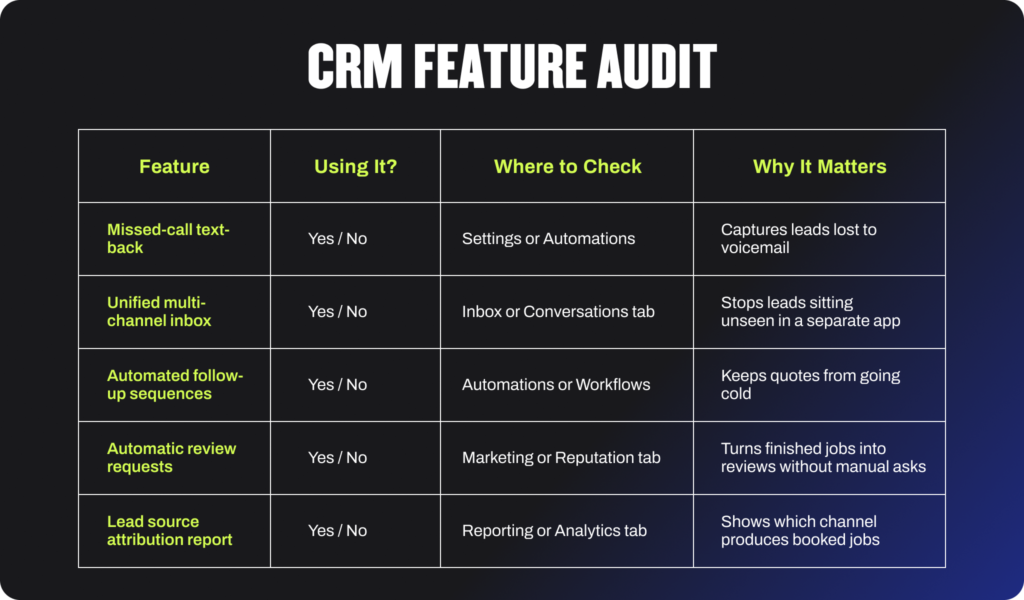
If three or more of those are “No,” the business is likely paying for features it is not using. If you are wondering whether your current platform can handle all of this, see our guide to how CRM transitions work for contractors before deciding to switch anything.
How to Turn These On Without Overwhelming Your Team
Turn on one feature at a time. Not all five at once.
The pattern that consistently fails: an office manager gets excited about CRM automations, spends a weekend turning on every available workflow, and by the following Friday half the team is confused, the data is messy, and the automations are getting disabled because nobody was trained on what they do.
The pattern that works:
- Pick the single highest-impact feature for your specific situation. For most businesses, that is missed-call text-back.
- Assign one person as the owner of that feature. They are responsible for making sure it is configured correctly and running.
- Clean up naming conventions and tags before turning on automations. A follow-up sequence triggered by a tag that is used inconsistently produces inconsistent follow-ups.
- Run it for two weeks. Review the results. Then pick the next one.
I talked about this dynamic on our podcast with John DeLaurier, who joined us to break down the top roofing CRMs based on years of real-world use, demo experience, and actual customer feedback across different platforms. The point he made that applies across every trade: the biggest problem with CRM is that adoption does not happen. The features are there. The team just does not use them. A CRM feature left half-configured is often worse than not using it at all because it creates false confidence that something is being handled when it is not.
The businesses that get the most out of their CRM are not the ones who turned on the most features on day one. They are the ones who turned on one thing, made sure it ran, trained the team on it, and then added the next.
Frequently Asked Questions
What CRM features do home service businesses use the least?
Automated follow-up sequences, lead source reporting, and review automation are typically the most underused, even though most CRMs include them by default. These are the features that require an upfront configuration investment but then run without ongoing manual work.
Do I need to switch CRMs to get these features?
Usually not. Most CRMs used by home service businesses, including ServiceTitan, Housecall Pro, and Jobber, already include these features somewhere in the settings or automations menu. The issue is typically that they were never turned on, not that they are missing.
What is the single highest-impact CRM feature to turn on first?
Missed-call text-back, since it recovers leads that would otherwise be lost the moment a call goes unanswered. It is low-risk to configure, requires no ongoing manual work once set up, and captures leads at the highest-intent moment, when they just tried to reach you.
How long does it take to set up CRM automations?
Most individual automations, like missed-call text-back or a follow-up sequence, can be configured in under an hour once tags and categories are standardized. The standardization step is often where the time actually goes.
Will turning on more CRM features slow down my team?
Not if rolled out one at a time with a clear owner for each. Turning on everything at once is what typically causes team confusion. One feature, one owner, two weeks before adding the next.
The Features Are Already There. They Just Need to Be Turned On.
The CRM most home service businesses already pay for can do far more than scheduling and invoicing. The features that actually move revenue, capturing missed calls, following up automatically, requesting reviews without a manual reminder, are usually a few clicks away.
If you want help building the marketing system that fills the pipeline your CRM then manages, that is what we do at Hook Agency. We work exclusively with home service businesses. See our breakdowns of the best CRMs for plumbers and other trades for trade-specific guidance, or schedule a call with our team to talk through what we would build for your business.