When hailstorms hit, roofing and storm restoration companies need fast, accurate data to respond effectively.
Hail tracking tools have gone from “nice to have” to non-negotiable for roofing and storm restoration companies that want consistent insurance work.
- Most Hail Trackers aren’t that intuitive and are hard to get the information into an actionable plan throughout your company.
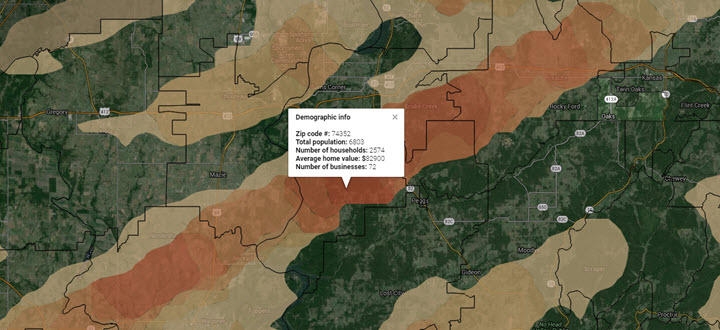
- Hail tracking tools help businesses identify storm-affected areas, generate leads, and streamline insurance claims.
- Full disclosure – our favorite is ‘Hailtrace’ because it’s well-built for roofers, and they’re longtime friends of Hook Agency.
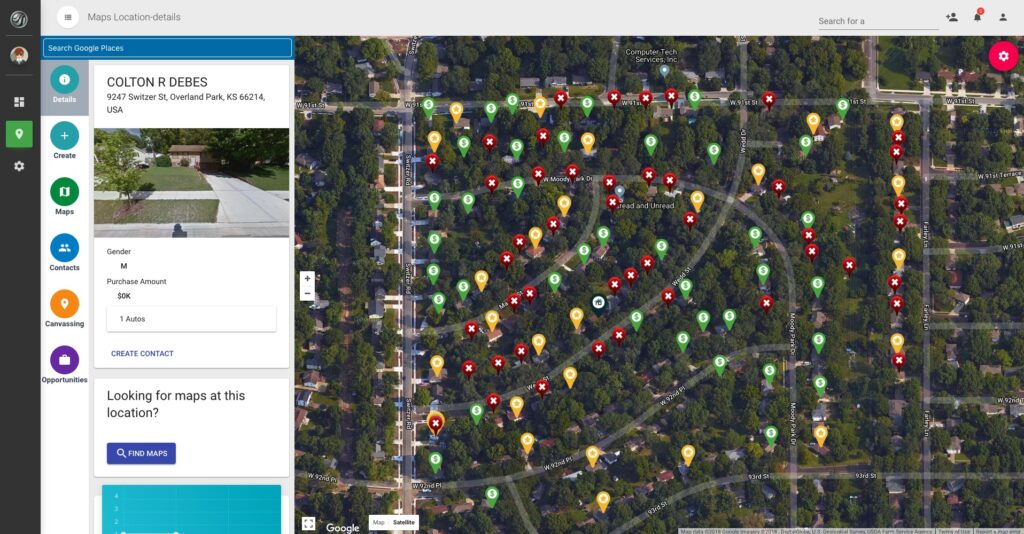
Below, we break down the best hail trackers roofers actually use — tools that help you target the right areas, knock smarter, and stop wasting time chasing dead zones.
How Hail Tracking Will Change Roofing in 2026
In 2026, hail tracking isn’t just about seeing where a storm hit. It’s about operational advantage.
The best roofing companies now use hail data to:
- Pre-plan canvassing routes before crews even roll out
- Prioritize neighborhoods with insurance-grade damage
- Arm sales reps with proof when homeowners push back
- Sync storm data directly into CRMs and ad platforms
Insurance carriers are tighter. Homeowners are more skeptical. That means data-backed conversations win. Roofers who show up with verified hail reports instantly sound more credible than the guy “just checking the area.”
Hail trackers have effectively replaced guesswork with timing, precision, and confidence—and in storm markets, that’s the difference between a busy season and a wasted one.
Top 5 Hail Tracking Tools For Roofers
1. HailTrace (Best for Data Accuracy & Storm Reports)
HailTrace is one of the most trusted names in hail tracking. It provides highly accurate storm maps, detailed storm histories, and lead generation features tailored for roofing companies.
What Users Say
John M., a storm restoration contractor, praised HailTrace:
“HailTrace has been a game-changer for us. Their storm maps are incredibly accurate, and their team is always available to help us interpret data.”
Pros & Cons
✔️ Industry-leading storm data accuracy
✔️ Historical storm data for lead generation
✔️ Integrates with CRM and marketing tools
❌ Subscription cost can be high for small businesses
❌ Steeper learning curve for new users
Website: hailtrace.com

2. Interactive Hail Maps (Best for Real-Time Alerts)
Interactive Hail Maps specializes in real-time hail alerts and storm tracking. It’s a popular choice for roofing companies that need instant notifications when storms hit their service areas.
What Users Say
Mike R., a roofing business owner, shared his experience:
“Interactive Hail Maps sends us instant alerts, so we can get boots on the ground quickly after a storm. It’s an invaluable tool for storm restoration work.”
Pros & Cons
✔️ Real-time storm alerts
✔️ User-friendly dashboard and mapping tools
✔️ Helps roofing companies react fast to storm damage
❌ Less historical data compared to HailTrace
❌ Some users report occasional inaccuracies in smaller storms
Website: interactivehailmaps.com
3. WeatherGuidance (Best for Custom Forecasting & Consulting)
WeatherGuidance offers custom weather forecasting and storm tracking services. Unlike other tools, it provides direct consulting with meteorologists for a personalized approach.
What Users Say
Sarah B., an insurance claims adjuster, values their expertise:
“WeatherGuidance gives us the insights we need to make informed decisions. Their meteorologists are knowledgeable and always ready to assist.”
Pros & Cons
✔️ Direct access to meteorologists for insights
✔️ Custom forecasts tailored to your business
✔️ High accuracy in storm tracking
❌ Higher cost than automated hail tracking tools
❌ Requires more manual interaction for data analysis
Website: weatherguidance.com
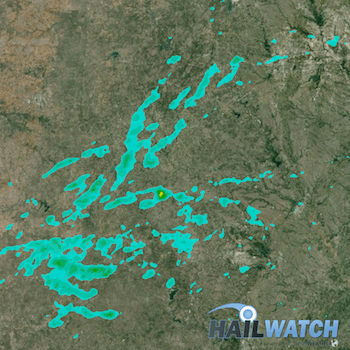
4. HailWatch (Best for Insurance Claims & Verification)
HailWatch specializes in storm verification reports, making it an ideal tool for roofing contractors dealing with insurance claims.
What Users Say
James D., an insurance claims specialist, shared:
“HailWatch reports help us validate storm damage quickly and efficiently, making the claims process smoother for everyone involved.”
Pros & Cons
✔️ Detailed storm verification reports
✔️ Helps with insurance claims and damage assessment
✔️ Reliable historical storm data
❌ Not as feature-rich for real-time tracking
❌ Requires a paid plan for full access to reports
Website: hailwatch.com
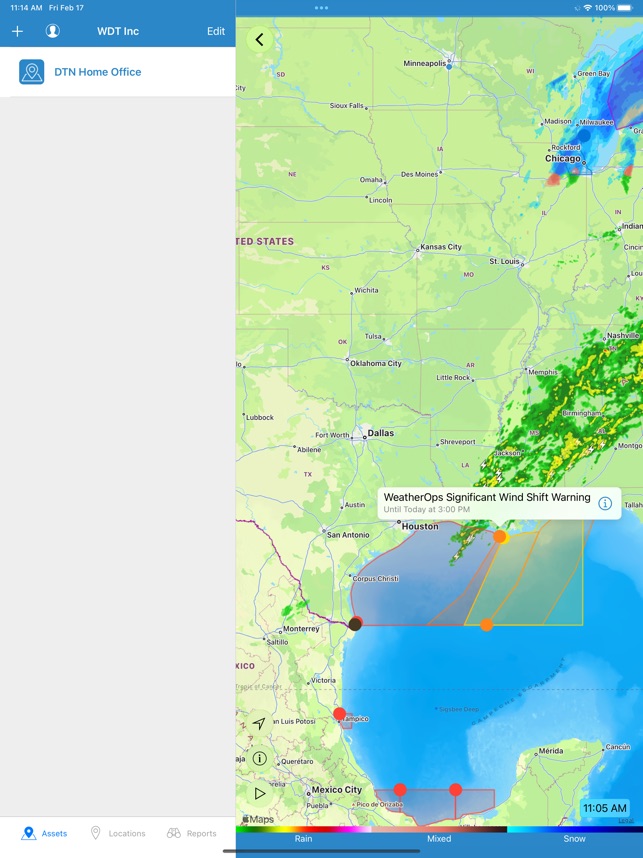
5. WeatherOps (Best for Enterprise-Level Weather Tracking)
WeatherOps provides advanced weather tracking and predictive analytics, making it perfect for large roofing companies and restoration firms handling multiple service areas.
What Users Say
Rick T., a regional storm restoration manager, finds WeatherOps indispensable:
“WeatherOps provides a level of storm forecasting and analysis that other tools just don’t offer. It’s a must-have for scaling our business.”
Pros & Cons
✔️ Enterprise-grade weather tracking tools
✔️ Predictive analytics for storm planning
✔️ Great for large-scale operations
❌ Pricing may be too high for smaller businesses
❌ Overwhelming data for companies not used to complex forecasting
Website: weatherops.com
How to Turn Hail Data Into a Marketing Advantage
Most roofers use hail trackers to figure out where to knock. That’s fine. But it’s also exactly what every other roofer in your market is doing.
The companies pulling ahead in 2026 use the same storm data to trigger a full marketing response. Not just boots on the ground. Ads, content, search visibility, and direct outreach all firing at once.
Here’s how that actually works.
Launch Hyper-Local Ads Within Hours of a Storm
When a storm hits a zip code, search volume for roofing terms spikes fast. Homeowners start Googling. They check damage. They look for roofers nearby. If your ads aren’t targeting that zip code with storm-specific messaging, you’re handing those clicks to someone else.
Use your Hail Tracker data to identify affected areas, then immediately adjust your paid campaigns. Update your ad copy to reflect the storm. Something like:
“Hail damage in [City]? We’re already in your neighborhood.”
That converts significantly better than a generic roofing ad. The roofers who update campaigns within the first few hours consistently capture more inbound leads. Speed is the whole advantage here.
Update Your Google Business Profile Immediately
Your GBP isn’t a static listing. It’s an active marketing tool that Google rewards when you use it consistently.
After a major storm, post a GBP update referencing the affected area directly. These posts show up in local search results and Google Maps. Homeowners searching for roofers in that neighborhood will see it.
What works best:
- Photos from actual storm jobs in the area
- A post calling out the specific neighborhood or zip code
- Recent reviews from customers in the affected area
Real images. Real locations. Real credibility.
Hit Affected Zip Codes With Direct Mail
Door knocking works. But not every homeowner answers. Some are at work. Some ignore solicitors. Some just aren’t ready yet. Direct mail to storm-affected zip codes puts something physical in their hands a few days after the storm. By that point the urgency is real. They’ve seen the damage. Their neighbor is already getting an inspection.
The best performing mailers combine:
- A storm-specific headline
- A photo of real hail damage
- A limited-time inspection offer
- A QR code linking to your storm landing page
Timing and relevance do the heavy lifting here.
Build a Storm Landing Page Before You Need One
This is the play most roofing companies miss entirely.
When a significant hail event hits your market, searches for roofing spike for days. Sometimes weeks. If you have a dedicated storm damage page already built and indexed, you can rank for those searches fast.
If you don’t, you’re invisible while competitors with better content capture all that inbound traffic.
Build the page now. Optimize it for terms like “hail damage roof repair [city]” and “storm damage roofing [zip code].” When a storm hits, update it with location-specific details and push it through your GBP and social channels immediately.
Hail data tells you where the opportunity is. Your marketing determines whether you actually capture it.
Which Hail Tracker is Best for Your Business?
Each of these hail tracking tools serves a different purpose. Here’s a quick breakdown to help you decide:
- Need the most accurate hail maps? → HailTrace
- Want real-time alerts? → Interactive Hail Maps
- Looking for custom meteorologist insights? → WeatherGuidance
At Hook Agency, we specialize in marketing for roofing and storm restoration companies. If you’re looking to grow your business with better SEO, PPC, and web design, reach out to us today.
Want more storm restoration leads? Contact Hook Agency for digital marketing strategies that keep your business ahead of the competition.
Frequently Asked Questions
Can I use hail tracking data to run targeted Facebook and Google Ads?
Yes. Take the affected zip codes from your hail tracker and build geographic audiences directly in Google Ads or Meta. Add storm-specific copy and you’re in front of the right homeowners at exactly the right time.
How soon after a storm should I update my marketing?
Hours, not days. Search volume spikes fast. Have a plan ready before storm season so when one hits, you’re updating your GBP and launching ads while competitors are still figuring out their next move.
Do hail tracking tools integrate with CRMs?
Some do. HailTrace is the strongest for this. Storm data pushes directly into your pipeline so your sales team can act fast without manual data entry slowing everything down.
Is direct mail still worth it for storm restoration in 2026?
Yes. Digital gets crowded fast after a storm. A physical mailer landing in an affected homeowner’s mailbox two days later cuts through the noise in a way another Facebook ad simply won’t.
What should my storm landing page include to rank on Google?
Keep it specific. Use the affected city and zip code throughout the page, add real photos from local jobs, include a clear inspection offer, and make sure it loads fast.