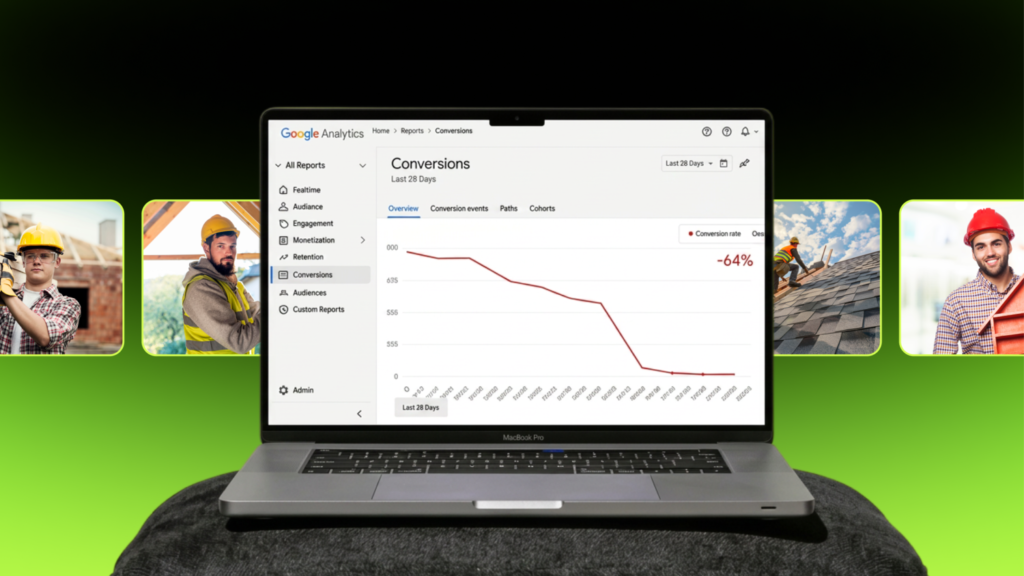

There’s a certain type of contractor website I’ve seen so many times I could describe it from memory.
- Hero image: a hard-hatted worker who has clearly never installed anything.
- Team photo: four people in matching polo shirts who look like they were hired from a casting agency.
- Truck shot: a spotless vehicle that has definitely never hauled anything.
The contractor who owns that website usually thinks it looks professional. And honestly, it does look polished.
That’s the trap.
Polished and professional are not the same thing, and homeowners deciding whether to hand someone $15,000 to replace their roof know the difference, even if they can’t articulate why.
Stock photos don’t just fail to help. They actively suppress conversions by breaking trust at the exact moment a homeowner is making a judgment call about you.
Stock photos hurt conversions because homeowners instantly recognize them as generic and fake, which breaks trust and makes them doubt whether the contractor’s work and claims are real.
The fix is simpler than most contractors expect, and it doesn’t always require a professional photographer.
Why Stock Photos Quietly Cost You Leads
Stock photos quietly cost contractors leads because they signal that a business has nothing real to show, which makes homeowners trust it less.
Your Website Exists to Prove Your Work
A contractor website has one job: proving the quality of what you do.

Not explaining it.
Not listing it.
Proving it.
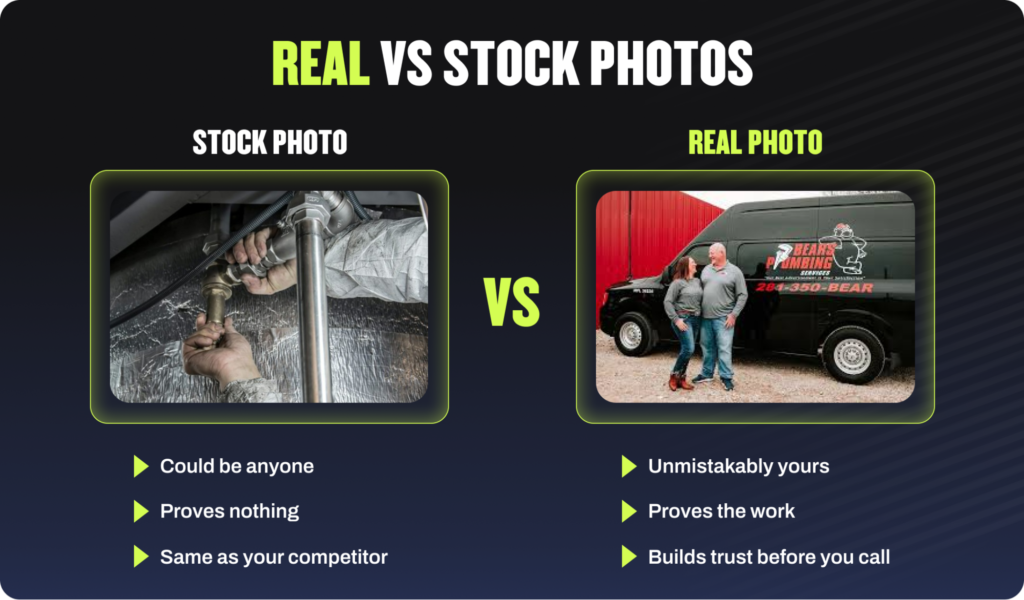
A homeowner spending $8,000 to $20,000 on a home project wants to see who they’re hiring and what that person has actually done. A stock photo proves nothing except that you know how to use iStock. That gap between what you claim and what you show is where leads quietly go to die. If your website isn’t doing that conversion work, everything else you spend on marketing is underperforming.
The Lead Is Lost Where You Cannot See It
Here is the uncomfortable part. When a homeowner bounces because your photos feel fake, they don’t tell you. There’s no feedback form. No call where they say “your team photo looked like a stock image so I called someone else.” They just leave. The lead evaporates silently and you spend the next quarter wondering why your traffic isn’t converting. If you’ve ever asked yourself what to do when your website isn’t converting leads, stock photos are usually somewhere on the list of culprits.
The Psychology: Why Buyers Reject Stock Photos
This is not a vague aesthetic preference. It’s a predictable psychological reaction, and it’s well documented.
Buyers Recognize Stock Photos Instantly
The human brain is extremely good at pattern recognition, especially for faces and social situations.
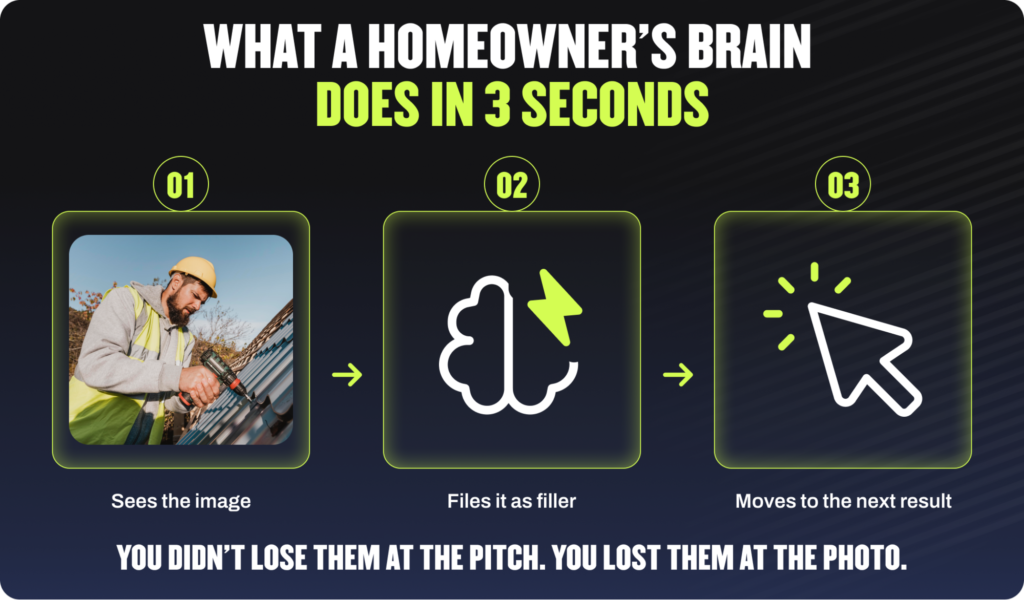
Homeowners have been scrolling the internet for decades. They’ve seen the same smiling family on thirty different contractor sites. Same guy with a hard hat and a clipboard. Same impossibly clean kitchen. Their brain classifies these in milliseconds as filler, content placed there to fill space rather than show anything real.
Research published in the Proceedings of the SIGCHI Conference on Human Factors in Computing Systems examined the effect of adding photographs to e-commerce websites and found that trust-building depended heavily on whether photos felt contextually credible. Generic, polished images didn’t reliably build trust the way real, contextually appropriate ones did. The brain isn’t fooled by images that look too perfect for the context they’re in.
One Fake Element Makes Buyers Doubt Everything
Here is the trust logic that makes this expensive. When a visitor spots one obviously fake thing on your website, their skepticism doesn’t stay contained to that one thing. It bleeds.
- They start reading your reviews wondering if those are real.
- They question whether the credentials you listed are accurate.
- The “20 years of experience” starts to feel like it might also be something somebody typed to fill a field.
A fake-looking team photo doesn’t just fail to build trust. It withdraws it. Website trust factors operate as a system. One element undermining the whole thing is not a localized problem. It is a conversion problem across the entire page.
What the Data Says About Real Photos vs Stock
This is not just a vibe. The testing backs it up.
Real Photos Lift Leads From the Same Traffic
Here’s the cleanest argument for fixing your photos: you don’t need more traffic. You need more of the traffic you already have to call you.
Controlled A/B tests have consistently found that swapping a generic stock photo for a real one lifts conversions without any change in traffic, ad spend, or SEO. Same visitors. More calls. Conversion-centered design is built around exactly this: design choices have measurable, testable effects on what people do next. Photos are one of the highest-leverage design choices on any contractor page.
We’ve seen this firsthand across the contractor sites we build and manage. The pattern is consistent: real photos of real work move the needle. Stock images don’t.
Authenticity Beats Production Value
This is the part that surprises most people. The real photo doesn’t have to be professionally shot.
A slightly imperfect photo of a real crew member standing in front of a real finished job outperforms a perfectly lit studio shot of a model in work clothes. Consistently. Research on brand authenticity spanning 25 years of consumer studies found that consumers are remarkably good at distinguishing the real thing from a constructed version, and that authenticity signals directly increase trust while their absence raises doubt.
Real and imperfect beats fake and flawless. Every time. In categories where trust is a prerequisite for purchase.
For a contractor, that trust has to be established before anyone picks up the phone. A stock photo doesn’t build it. A real one does.
Stock Photos vs Real Photos: A Side-by-Side Look
The contrast is sharpest when you see it directly.
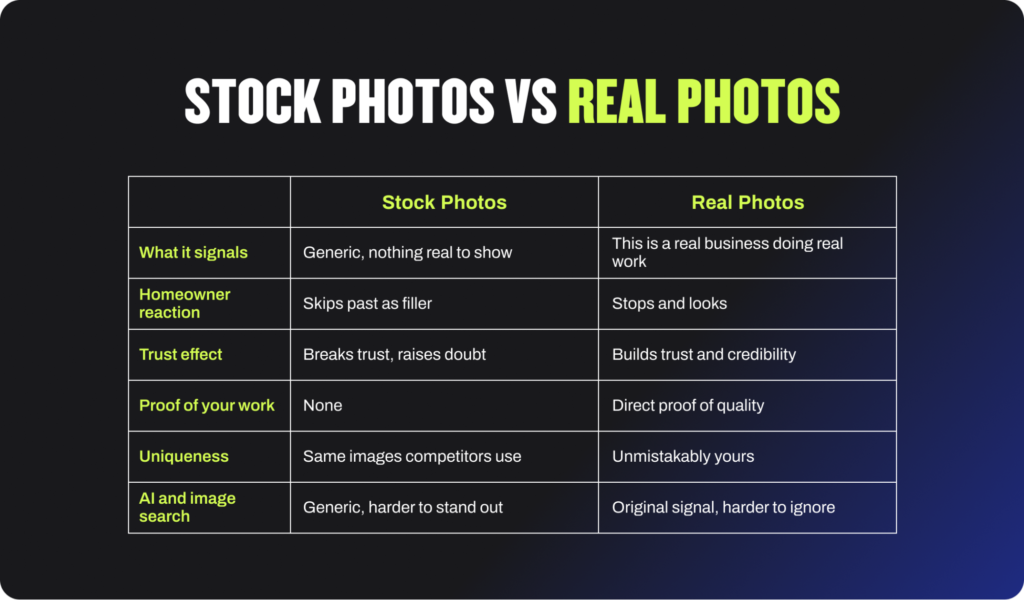
The stock column is not neutral. Every row in it is a small reason for the homeowner to leave.
What Contractors Should Use Instead
The fix is simple to say and actually pretty simple to do. Show real work and real people.
The question is which specific types of photos actually move the needle.
Photos That Prove Your Work
Before-and-after shots are the single most effective photo type a contractor can put on their website.
The transformation is the proof. A homeowner sees what you started with and what you finished with and understands in one image what years of experience produces. You don’t have to write a paragraph about your quality. The photo says it.
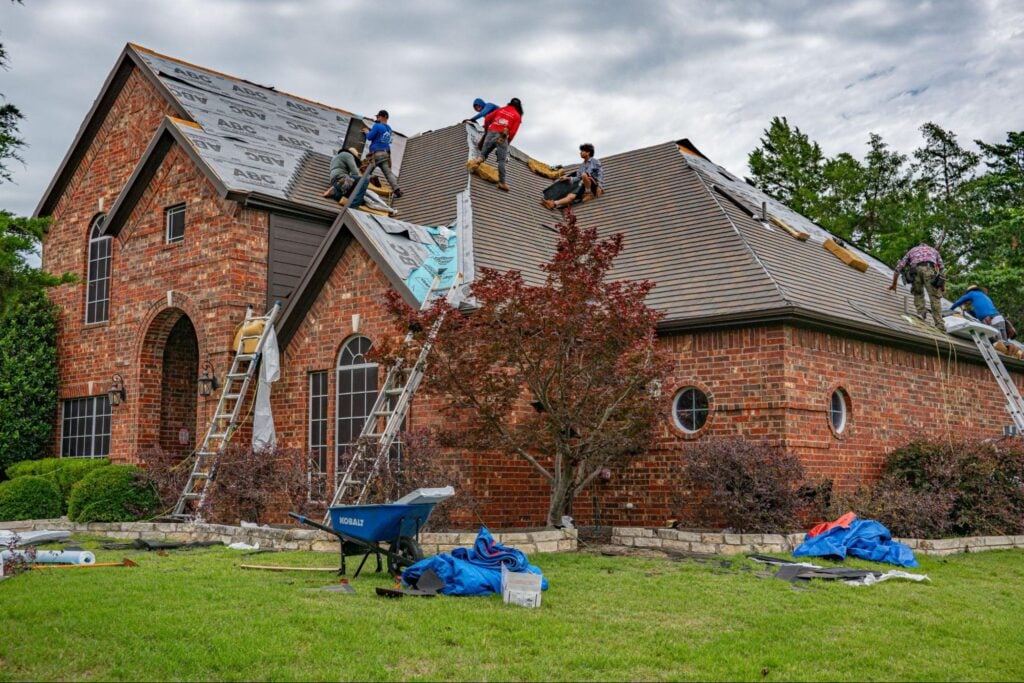
Work-in-progress shots are underrated too. There’s something honest about a photo taken mid-job, mid-installation, mid-mess. It looks like the real thing because it is.
For specific ideas on building this kind of library fast, our guide to contractor photo shoot ideas gives you a practical shot list organized by project type.
Photos That Show Who You Are
The homeowner wants to know who is going to show up at their house. That is a safety question as much as a quality question.
Real photos of the actual crew, the owner, the office staff, put a face to the name before anyone calls. It makes the business feel like a business run by humans rather than a logo on a website.
Every photo on your site should answer one of two questions the homeowner is silently asking:
- Is this company actually good at what they do?
- Can I trust these people with my home and my money?
If a photo doesn’t answer at least one of those, it probably shouldn’t be there.

When Stock Photos Are Actually Fine
I want to be honest about this because a one-size-fits-all answer on stock photos isn’t quite right. Stock photos are not always wrong. They’re wrong as your main visual language.
There are situations where stock is perfectly appropriate:
- A brand-new business launching before it has job photos. A placeholder is better than a blank page, as long as you replace it within the first few months.
- Illustrating a blog post about a concept where no real photo exists. A post about the history of asphalt shingles can use a stock image without hurting your credibility.
- Background textures or decorative elements that are clearly not posing as proof of your work.
The rule is simple: stock photography should never appear as your team, your projects, or your results. Those are exactly the places homeowners look for proof. Used sparingly and honestly, stock is harmless. Used as your storefront, it costs you jobs.

How to Fix Your Website Photos Without a Photographer
The most common thing I hear: no budget for a photographer, no time to set up a shoot.
Both are easier to solve than they sound.
Build a Real Photo Library With Your Phone
A modern smartphone shoots better photos than a professional camera did ten years ago. And real beats polished, which means the bar for “good enough” is lower than you think.
The habit that builds a library fast: before-and-after on every single job.
- Before the crew starts, someone takes three photos
- After the job wraps, three more
- That’s it. Do 200 jobs a year, you have 400 photos by December
Most of them will be usable. Some will be excellent. All of them will be real.
For the occasional planned shoot, a local photographer for two to three hours a couple of times a year is enough to get solid crew shots, in-progress photos, and finished-project images. Not a monthly expense. A seasonal one.
Prioritize, Organize, and Reuse
Start with the worst offenders. The obviously fake team photo and the generic hero image are doing the most damage. Swap those first, even if everything else stays the same.
A few rules that make the library actually useful:
- Get homeowner consent before posting photos of their property. A one-line text asking permission is enough.
- Store photos by project type so you can find them when you need them.
- Reuse the same real photos across your website, social, proposals, and email. One great photo is worth putting everywhere.
You don’t need a studio. You need a phone and a habit.
One thing to keep in mind: The moment you swap a fake team photo for a real one, something shifts. It’s not subtle. Visitors spend longer on the page. Forms get submitted. Phones ring. The change is measurable within weeks, not months, and it costs you nothing in ad spend to see it.
What Happens When You Fix What Homeowners Actually Judge You On
Badgerland Exteriors came to us frustrated. Previous agencies had lumped their roofing and solar campaigns together, bought impressions on keywords that had no business being in the same bucket, and refused to support the design quality they were asking for.
The website looked like the problem was the campaigns. It wasn’t.
The campaigns were sending decent traffic. The website just wasn’t closing it. Not because of the messaging. Because of how it looked and whether it felt like a real business worth calling.
When we rebuilt the site:
- Generic stock imagery came out. Real project photos went in.
- The design was built to match who Badgerland actually is: clean, trade-specific, credible.
That’s the gap stock photos create and real photos close. The distance between what a company does and what a homeowner believes about them before they ever make contact.
We separated the campaigns, tightened the keyword strategy, and built landing pages that matched the brand. Here’s what changed in 2025:
- Cost per conversion dropped to $143
- 121 marketing-qualified leads on a $3,500 monthly budget
Same market. Same homeowners. What changed was what they saw when they landed.
Full breakdown in the Badgerland Exteriors case study.
Frequently Asked Questions
Do stock photos hurt website conversions?
Yes. Stock photos hurt conversions because homeowners recognize them as generic and fake, which breaks trust at the moment they’re deciding whether to contact you. Real photos of actual work and real team members consistently outperform stock images in A/B tests across industries where trust is a prerequisite for purchase.
Why do homeowners not trust stock photos?
Because they’ve seen the same images on dozens of other websites and their brain classifies them instantly as filler. When one element on a page looks obviously fake, it raises doubt about everything else, the reviews, the credentials, the claims. Trust operates as a system on a webpage. One fake element undermines the whole thing.
What photos should contractors use on their websites?
Before-and-after project photos, work-in-progress shots, real crew photos, and photos of the owner and office staff. Every photo should answer one of two questions: is this company good at what they do, or can I trust these people with my home and my money.
Can I use stock photos anywhere on my contractor website?
Stock photos are acceptable as blog post illustrations, background textures, and temporary placeholders for brand-new businesses. They should never appear as your team, your projects, or your results, because those are exactly the places homeowners look for proof.
How do I get real photos without hiring a photographer?
Make before-and-after photos a crew habit on every job. A modern smartphone is more than sufficient for quality. For planned shoots, a local photographer for two to three hours a few times a year builds a solid library without significant ongoing expense.
How quickly do real photos improve conversions?
Improvements can show up relatively quickly after a swap, often within the first month of updated traffic data. The bigger the photo problem on the original site, the more noticeable the lift tends to be. A/B testing the change against the original gives you a clean read on the impact.
Your Photos Are Either Building Trust or Breaking It
There’s no neutral. Every image on your website is either confirming to the homeowner that you’re worth calling or giving them a quiet reason to click away. Most contractor websites we look at have at least one or two stock photos doing active damage in exactly the places homeowners are looking for proof.
At Hook Agency we build home services websites specifically for contractors who want their site to do real conversion work, not just exist. If you want to see what that looks like for your business, schedule a call with our team. We’ll tell you honestly what’s costing you leads and what it would take to fix it.