
I’ve talked to a lot of contractors who think Instagram is someone else’s problem. Too much effort, wrong audience, not how their customers find them. And then I show them their competitor’s profile and watch their face change.
The platform has 3 billion monthly active users. Your customers are on it before they call anyone. And in August 2025, Instagram rolled out something that most home service businesses are either using wrong or not using at all: a native repost button. It’s one of the lowest-effort ways to stay visible and credible in your local market, and almost nobody in the trades is treating it seriously yet.
Here is what this guide covers: what the feature is, how to use it step by step, how to undo it, how to control who can repost your content, and how contractors can turn it into a real credibility tool with local homeowners.
What Is Instagram’s Repost Feature?
Instagram’s repost feature is a built-in button that lets you reshare public Reels and feed posts directly to your own profile.
Before August 2025, reposting someone else’s content to your own feed was a mess. You’d screenshot it, repost it manually, and the original creator’s credit was gone. Or you’d download a third-party app that worked half the time and required you to hand over your login. Neither option was clean, and neither looked professional.
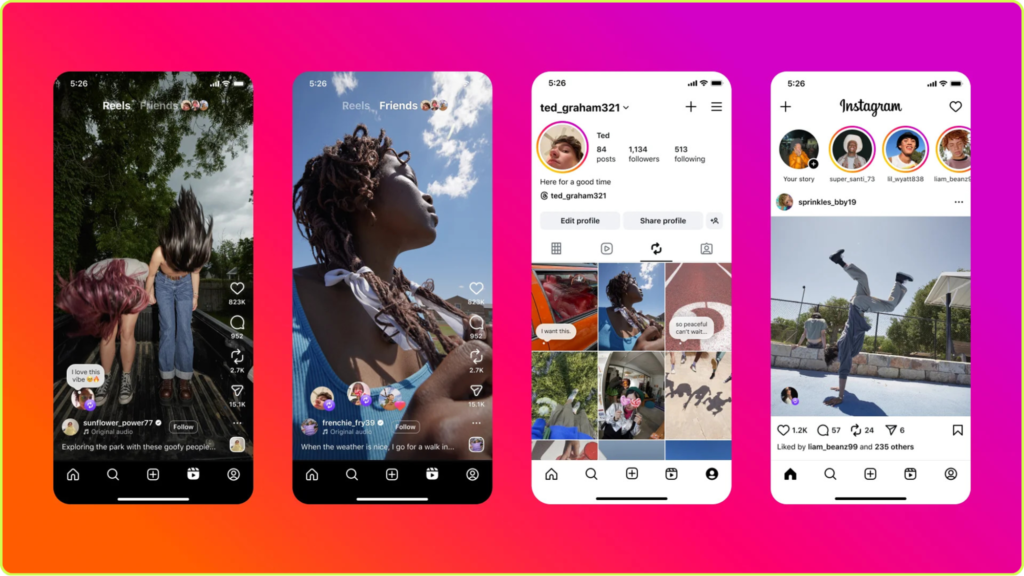
The native button fixed both problems. The original creator gets credited automatically. Their content stays linked to their account. And everything you repost lives in its own dedicated tab on your profile, completely separate from your original posts. Instagram’s data shows the platform has been building aggressively toward features that increase sharing between accounts, and this one is their direct answer to how TikTok and X already work.
A few things worth knowing before you start using it:
- It only works on public accounts. If a profile is set to private or the creator has turned off reposting, the button won’t appear.
- The original creator is automatically credited on every repost. Their username shows on it and the content stays linked to their account.
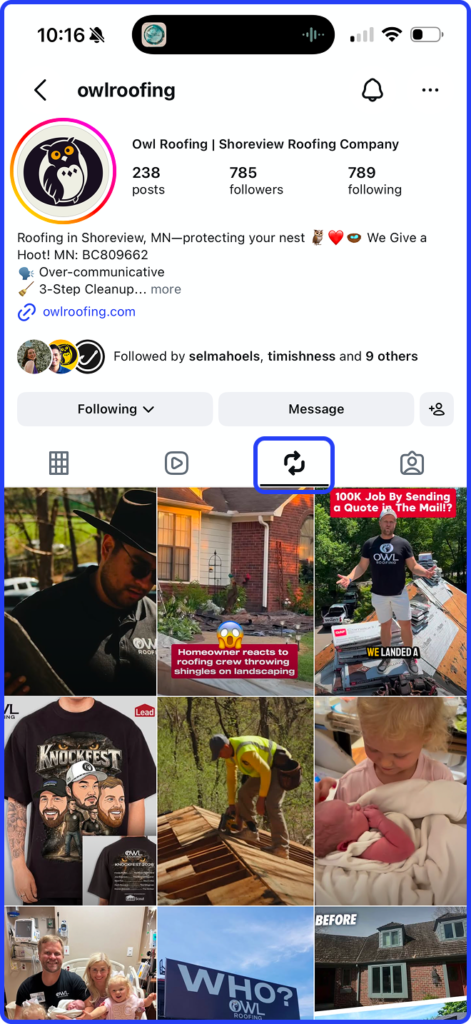
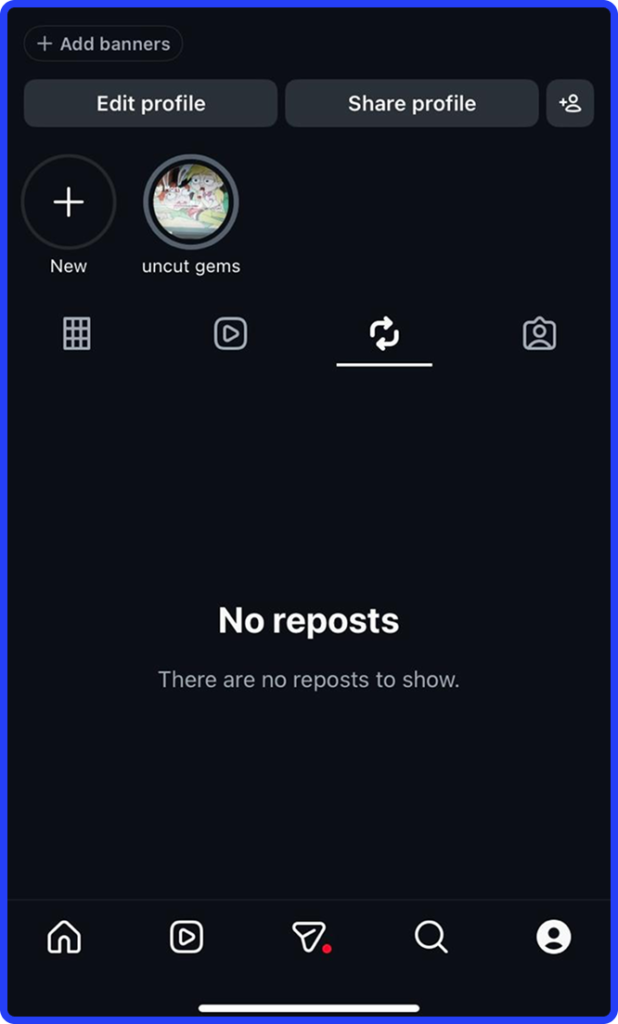
- Reposts live in their own tab on your profile, completely separate from your original posts grid.
- The feature rolled out globally in August 2025. If you don’t see it yet on your account, it may still be making its way to your account type or region.
Repost vs Share to Story vs Remix: What’s the Difference?
Instagram has built several different ways to share content and none of them have obvious names. If you’ve ever hit the wrong one and wondered why your story looked different than you expected, this is why.
Here is how the three main options actually work:

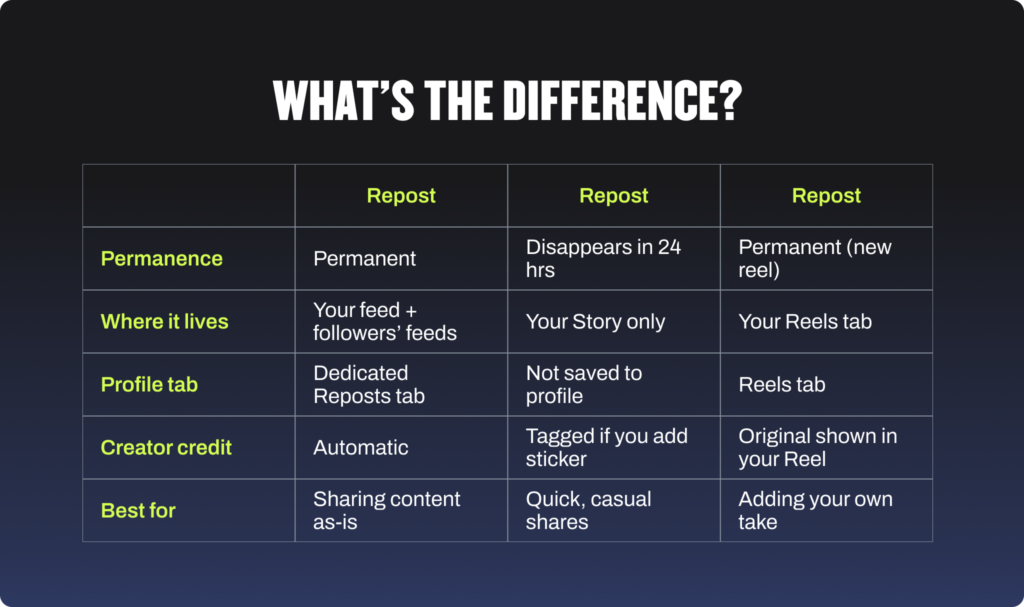
Remix is the one that confuses people most. It is not sharing someone else’s content. It is responding to it on camera, like a TikTok duet. If a roofing manufacturer posts a video about a new shingle product and you want to share it with your followers, that’s a Repost. If you want to film yourself reacting to it or adding your own commentary, that’s a Remix. Completely different tools. If you’re thinking about how short-form video fits into all of this, our breakdown of the benefits of video marketing for home service businesses is worth reading before you decide where to put your energy.
How to Repost on Instagram (Step-by-Step)
The process is genuinely simple.
How to Repost a Reel or Feed Post
- Open Instagram and go to the public Reel or post you want to share.
- Tap the repost icon, two curved circular arrows, between the Comment and Send buttons below the post.
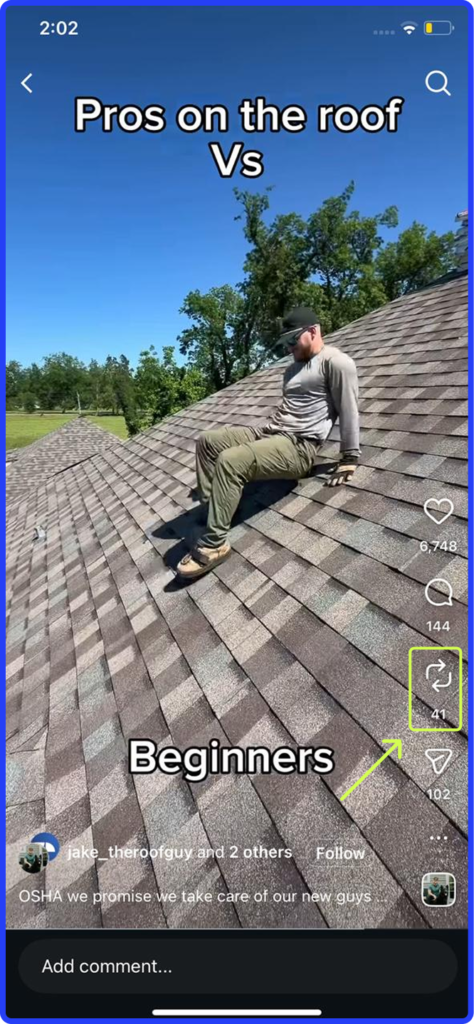
- The first time you use it, a confirmation pop-up will appear. Tap OK to proceed or Undo if you changed your mind.
- Add an optional note, then confirm. The repost now shows up in your followers’ feeds and in the Reposts tab on your profile.
How to Add a Note to Your Repost
Here’s the part most people skip. Don’t skip it.
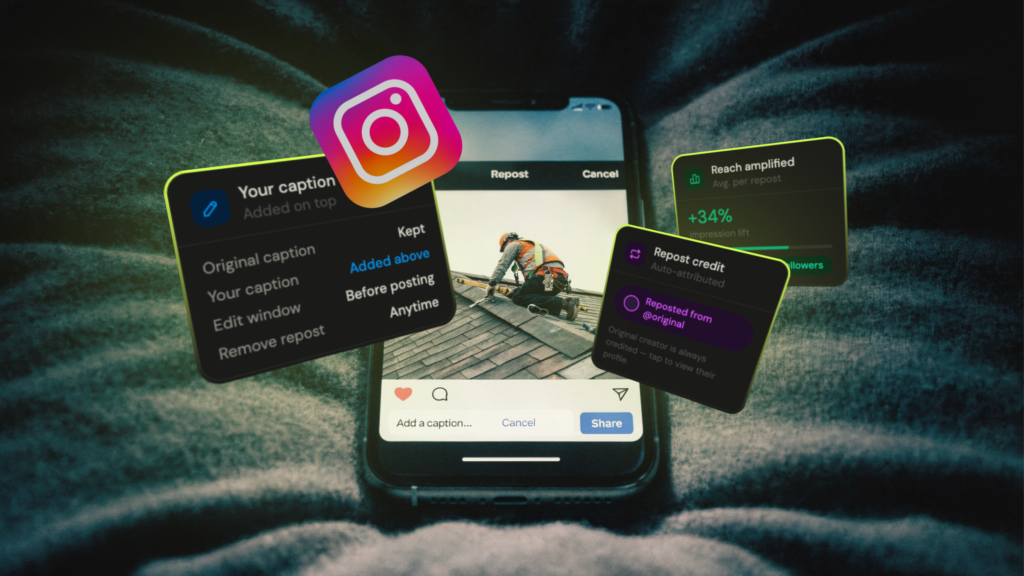
Without a note, a repost is just content passing through your profile. With a note, it becomes a window into how you think. For a contractor, that 60-character note is a chance to prove expertise without writing a single paragraph. “We’ve been installing this system for three years, it holds up” is more convincing than most captions people spend 20 minutes writing.
- After tapping Repost, look for the thought bubble attached to your profile picture in the bottom-left corner of the screen.
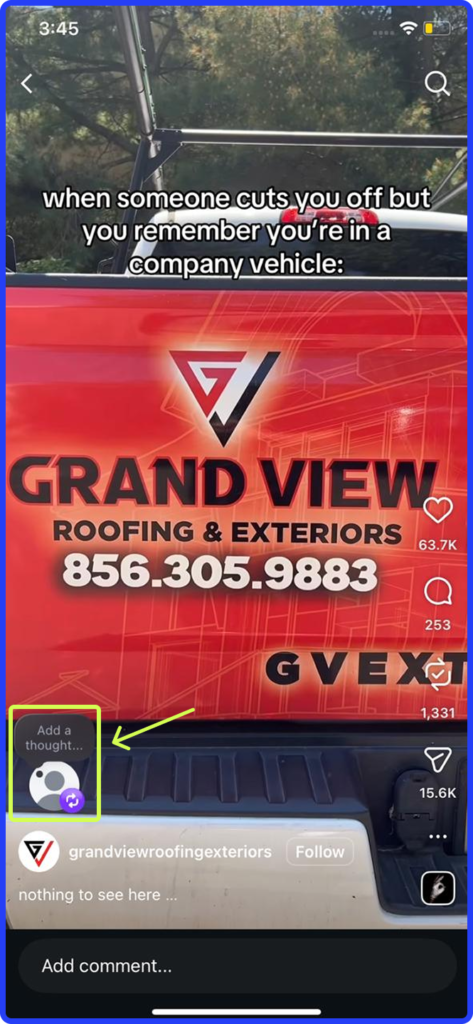
- Tap it and type your note. 60 characters maximum. Use them intentionally. Something like “This is exactly why we inspect the decking before anything else” or “Installed this same system on a job last Tuesday” does real work for your credibility.
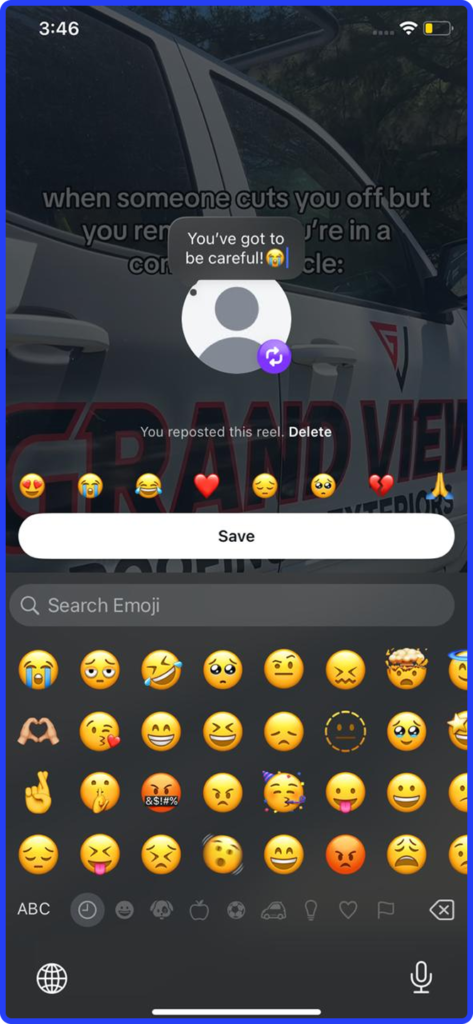
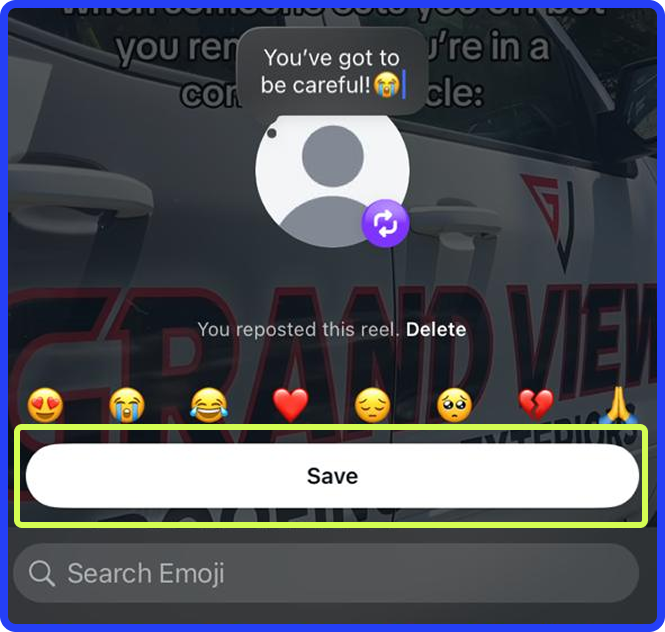
- Tap Save. You don’t have to add the note immediately. You can go back to the Reposts tab later and add one to any existing repost.
Where Do Your Reposts Go?
Reposts land in a dedicated tab on your profile, sitting between the Reels and Tagged tabs. They also surface in your followers’ main feeds and in Instagram’s recommendation surfaces. If you’ve ever wondered why some posts get pushed to people who don’t even follow you, that’s the algorithm working. Understanding what impressions on Instagram actually mean helps explain how that visibility compounds over time.
The thing that consistently catches contractors off guard: comments people leave on your repost don’t show up as public comments under the post. They come straight into your DMs. If a homeowner sees your repost of a customer review and wants to ask about pricing, that conversation is happening in your inbox, not in a public comment thread. Which means if nobody’s monitoring DMs, those leads are just sitting there unanswered.
How to Undo or Delete a Repost
Undo a Repost Instantly
Tap the repost icon again on the same piece of content and it removes immediately. Instagram notifies the original creator when you repost their content and again when you remove it. So this isn’t invisible to the person whose content you shared.
Delete a Repost From the Reposts Tab
- Go to your profile and open the Reposts tab.
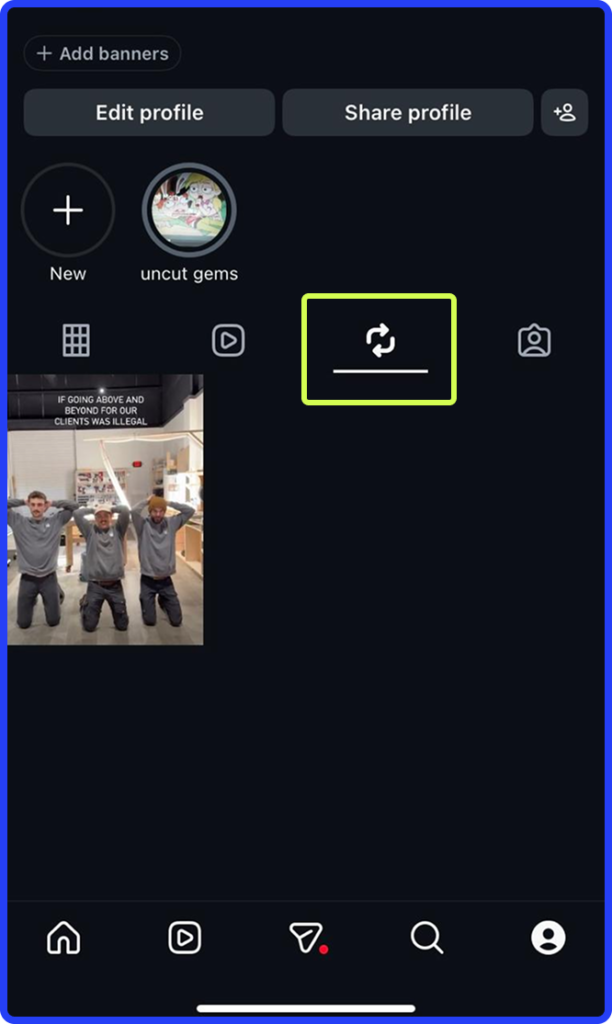
- Open the repost you want to remove.
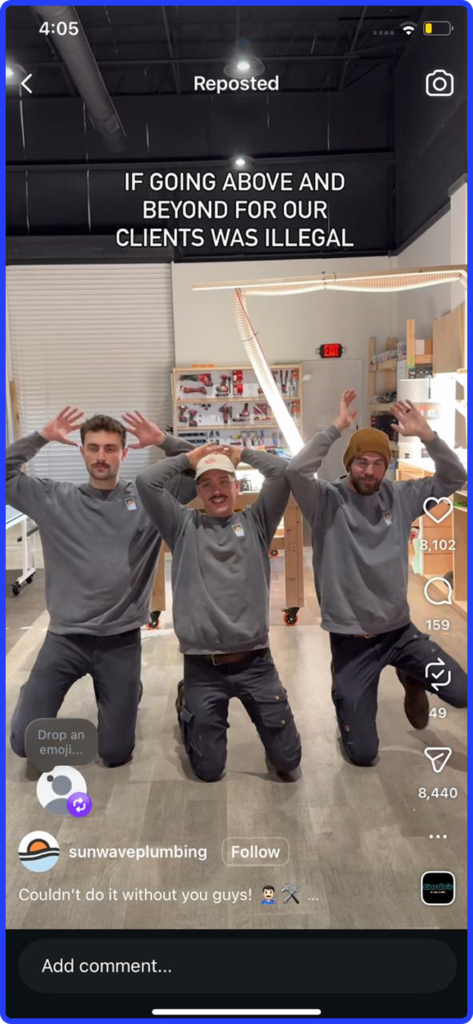
- Tap the three-dot menu at the top right, or tap the note bubble and select Delete.
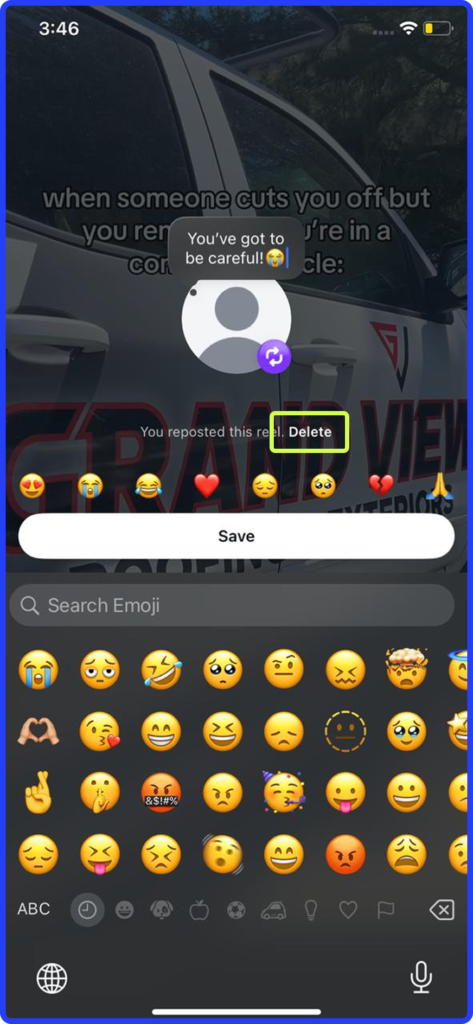
- Confirm deletion. This removes the repost and any note you added. The original post on the creator’s profile is completely unaffected.
How to Turn Off Reposting on Your Content
If you don’t want other accounts reposting your content, you can shut it off at the account level:
- Open your profile and tap the Menu icon, three horizontal lines, in the top right corner.
- Open Settings.
- Find Sharing and reuse. This sits under “How others can interact with you.”
- Toggle off “Allow reposts on posts and reels.”
You can also turn it off on a single post without touching your account-wide setting. Go to any post, tap the three-dot menu, and select Reposts to disable it just for that one piece of content.
One thing to keep in mind: This setting works both ways. Turning it off stops others from reposting your content, but it also removes your own ability to repost others while the toggle is off. Instagram designed it as a reciprocal rule: if you’re not letting your work be shared, you don’t get to share others’ work either. It doesn’t remove the feature from Instagram globally. You’ll still see reposts in your feed from other accounts. Also worth noting: the exact menu path can vary between personal, creator, and professional account types and between app versions, so if yours looks slightly different, that’s normal.
How Home Service Businesses Can Use Reposts to Grow Reach
Let me paint you a picture. A homeowner in your area just had a rough storm come through. Her neighbor got a new roof last summer and tagged the roofing company in a post about how great it looked. That homeowner sees that post in her feed. She taps on the roofing company’s profile. She sees a consistent, active account full of real job photos, a repost of a glowing review from someone she recognizes two streets over, and a note from the owner that reads “12-year wind warranty on every install we do.”
She calls that company. Not yours. Not because your work is worse. Because she didn’t see you.
That’s what Instagram actually is for contractors right now. It’s not about going viral. It’s about being the company that shows up in a homeowner’s feed before they ever start googling. Reposts are one of the simplest ways to stay present and credible without building a full content production operation.

Smart Ways Contractors Can Use Reposts
- Repost customer reviews and job tags.
When a homeowner tags your company after a job, repost it immediately. That is the single most credible piece of content you can put on your profile, because it didn’t come from you. A real customer in a real neighborhood saying the work was great is worth more than any caption you could write. Add a short note like “This is why we always do the walkthrough at the end” and now you’ve added your expertise to their trust. This is the foundation of an organic social strategy for contractors that actually builds something over time.
- Share supplier and manufacturer content.
When a shingle manufacturer or HVAC brand posts a product video or installation tip, repost it with a note about how you’ve used that product on real jobs. It signals to homeowners that you’re up to date, invested in quality, and plugged into the industry. It also puts your account in front of the manufacturer’s followers when they see the credit attribution.
- Resurface your own older work for new followers.
You did a great before-and-after six months ago that your new followers never saw. Repost it. It shows up as a repost rather than original content, but it still surfaces in feeds and, unlike a Story, it stays on your profile permanently. Your best work shouldn’t disappear into the archive.
- Be the local resource, not just the service provider.
Storm warning in your area? Repost the weather alert with a note about what homeowners should check on their roof or HVAC system. A local business you respect doing something good in the community? Share it. The accounts that build real followings in local markets are the ones that make people feel like following them is actually useful. That’s how you build the kind of relatable brand that people remember when their water heater goes out at 9pm on a Friday.
- Get in front of people who have never heard of you.
When a customer reposts your content to their own profile, their followers see it with your account credited. That’s free reach into a local audience you haven’t paid to access. This is what social media value for home service businesses actually looks like when it compounds. It’s not a single viral post. It’s dozens of small moments of visibility that add up to the company everyone in your market seems to have heard of.
If you want specific content ideas to mix in alongside a repost strategy, our post on plumbing social media ideas breaks down what’s actually working for contractors trying to build a consistent presence without it becoming a second job.

Repost Mistakes That Will Actually Hurt You
- Reposting too much.
The contractors I’ve watched tank their own engagement are the ones who turn their entire feed into other people’s content. If you’re reposting five times a day and posting your own work twice a month, your audience stops thinking of you as an authority and starts thinking of you as a feed aggregator. Worse, Instagram’s algorithm reads a low-originality account and dials down your organic reach. A few strategic reposts a week mixed with your own content is the right ratio. The moment your Reposts tab has more posts than your main grid, you’ve gone too far.
- Sharing content that has nothing to do with your trade.
Off-topic reposts confuse your audience and send a mixed signal to the algorithm about what your account is about. Everything you repost should be something a homeowner in your market would genuinely find useful or interesting. That’s the filter.
- Ignoring the DMs that come in afterward.
When a repost gets traction, comments come in as direct messages, not public replies. If nobody on your team is checking DMs regularly, those are warm leads going cold in your inbox right now. Before you post something that might get attention, make sure someone owns the inbox.
- Not checking Insights.
Compare how your reposts perform against your original posts over time. If reposts are consistently pulling more reach, that tells you something important about what your audience actually wants to see. For a deeper read on what your numbers mean beyond surface-level likes and follows, our guide to social media for home services covers how to actually interpret what Instagram is telling you.
Frequently Asked Questions
What is the Instagram repost feature?
A native button that lets you reshare public Reels and feed posts directly to your own profile. Instagram rolled it out globally starting August 2025 and it automatically credits the original creator on every repost.
How do you repost on Instagram?
Tap the repost icon, two curved arrows, below any public Reel or feed post. Add an optional note up to 60 characters, then save. The repost appears in your followers’ feeds and in the Reposts tab on your profile.
How do you turn off reposting on Instagram?
Go to your profile, tap the menu icon, open Settings, find Sharing and reuse, and toggle off “Allow reposts on posts and reels.” This is a two-way setting: it stops others from reposting your content but also removes your own ability to repost while it’s off. It does not remove the feature from Instagram globally.
Can you repost from a private account on Instagram?
No. The repost feature only works on public accounts. Posts and Reels from private accounts cannot be natively reposted and the repost icon won’t appear on their content.
Is a repost the same as sharing to your story?
No. A repost is permanent and lives on your profile in the Reposts tab. A Share to Story disappears after 24 hours and only shows in your Story, not in followers’ main feeds.
What’s the difference between reposting and remixing on Instagram?
A repost shares content as-is to your profile. A Remix creates a brand-new Reel that plays the original clip alongside your own video, like a TikTok duet. Use Repost to share. Use Remix when you want to respond to something on camera.
Does the creator know when you repost their content?
Yes. Instagram notifies the original creator when you repost their content and again if you remove the repost.
Instagram Is One Piece. We Build the Whole System.
If you’ve read this far, you already understand that Instagram isn’t optional anymore for home service businesses. The question is whether the rest of your marketing is set up to catch the leads it generates.
At Hook Agency, we work exclusively with contractors. We build the websites that convert the traffic, run the SEO that gets you found, and manage the paid ads that fill your schedule. When a homeowner sees your Instagram and decides to look you up, we make sure everything they find from that point forward closes the deal.
Schedule a call with our team and we’ll walk you through exactly what we’d build for your business.