
You’re a busy ass small business owner.
You don’t have time to optimize every meta title or fix all the issues on your SEO audit.
You just need visibility, and you need it now. No monkey business.
Well my friend, let me introduce you to Google Posts: Google’s simple tool for winning serious local results.
After reading this you’ll know how to use them, and why they’re so great for local SEO.
Let’s dive in!
What Are Google Posts?
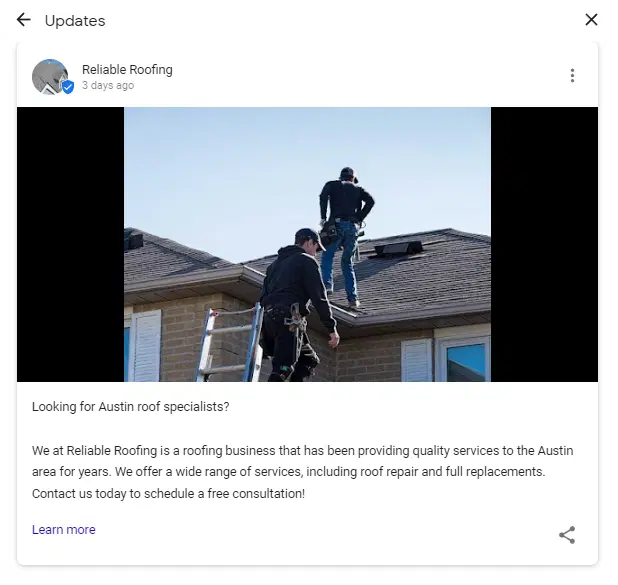
Google Posts is a free tool for verified Google My Business profiles. It allows businesses to publish custom content directly from their GMB. They are temporary (only up for 7 days at a time) unless its an event or offer post with a start and end date.
There are 4 different types of posts:
- Offer Posts: Used to get the word out about a limited-time sale or promotion.
- Product Posts: For promoting a specific product you are selling.
- Event Posts: A way to get the word out about an event your business is hosting or promoting.
- What’s New Posts: A simple update on your business, or changes customers should expect.

I won’t bore you with breaking down each post type and how to use them – it’s pretty straight forward. Instead, I’m going to walk through why Google Posts are a powerful tool for local SEO and how you can construct a post that wins.
4 Keys To Making A Winning Google Post
The first thing you need is a compelling call to action. GMB actually built CTA buttons into each post type making it easier to convert users. Just select the CTA Type, and give it an appealing label.
Next, you need to align your post with where you are driving traffic. Are you sending them to a product page? Make sure your verbiage is the same. The post should feel like an extension of that product page – even using the same images if need be.
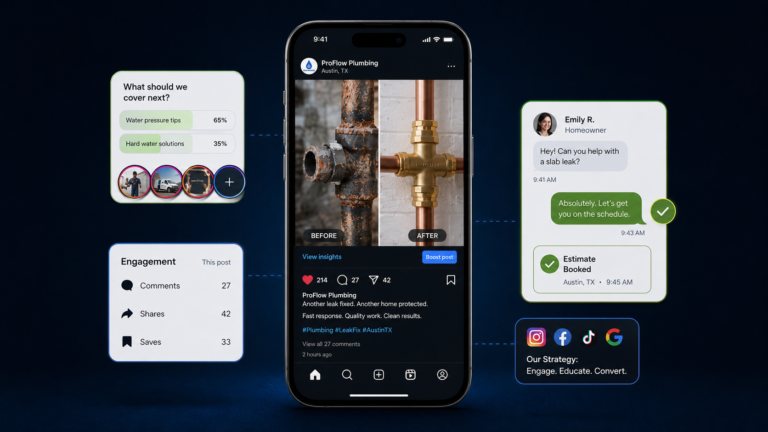
Its common knowledge that image content converts at a higher rate than simple text-based content. Adding an engaging image helps your post stand out, increasing its chance to convert. After you draw up your post it may seem like a tedious extra step, but I promise you its worth it.
Finally, use an active voice and speak with urgency. If your post sounds lame people are going to think your product or company is lame, and we don’t want that. Your message matters, so talk like it matters! If you want some killer copywriting tips, check out Brian Dean’s Ultimate Guide To Copy Writing.
Using Google Posts For Local SEO
So what’s the big deal? Why does this simple posting feature for Google My Business have such a positive impact on local SEO?
The answer has everything to do with consumer behavior. The key to compelling user action is making an offer precisely when your customer realizes a need. People don’t want a solution to a problem they don’t have yet, and they don’t want to wait for a solution to a problem they do have!
This is where it gets cool – Google Posts have a knack for showing up in the right place at the right time.
Where Do Google Posts Show Up?
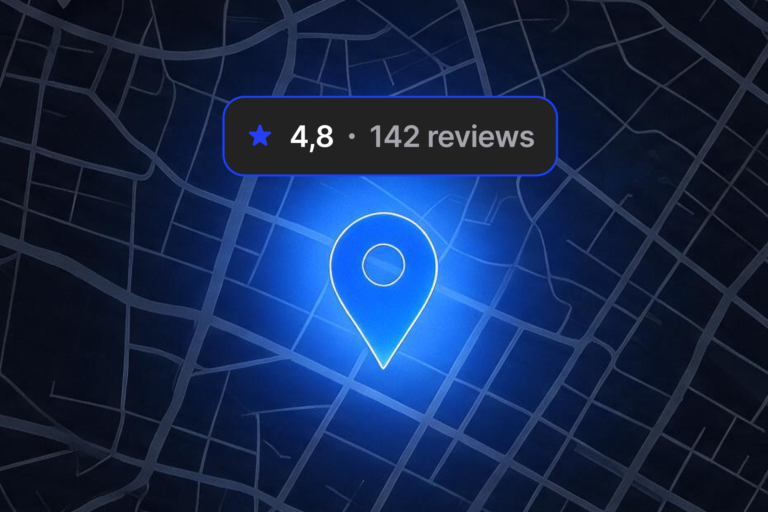
Most post types are visible on both the SERP and Google Maps listings. When people have a need, they Google it. Sometimes users browse through options on Google Maps. Having an engaging post or offering visible on your GMB listing is one hell of an edge if your competitor decides to pass on it. It’s not just good for standing out from the competition – it actually can help you outrank local competition.
Can Google Posts Improve Rankings?
Don’t just take my word for it, according to a local search ranking survey shared by Moz, GMB signals like Google Posts are the single most important ranking factor for local pack rankings. To put it more clearly, optimizing and using your GMB signals are more important than both linking and on-page optimization when it comes to besting your local competition in the SERPs.
Furthermore, the emphasis Google has placed on GMB optimization and usage has continued to rise, seeing a 32% increase in importance from 2017 to 2018.
Measuring Success With Google Posts
Want to know how well your post is performing? Check Google Insights, It’s built right into your GMB account. Google Insights tracks what kind of searches your business is being found for, along with specific search queries and much more.

Did one of your posts not perform as well as you had hoped? Make another post, monitor its performance and keep experimenting. You probably won’t hit a post out of the park on your 1st try or even your 10th, but you’ll get the hang of it. Figure out what your users respond best to and move in that direction.
I know there’s some data junkies out there who are dying to set up post tracking in Google Analytics…
Unfortunately, Google Analytics doesn’t integrate with Google Insights. However, you can use UTM tracking codes to manually feed GA information from your Google Posts. It’s not all that difficult, but since you’re a busy small business owner I’m sure you don’t have the time for that . If you are interested, you should check this post out.
What Types of Google Posts Actually Drive Calls in 2026
Most Google Posts do nothing.
They sit inside your Google Business Profile like decoration. No urgency. No clear angle. No reason to act. In 2026, the posts that actually drive calls are the ones that line up with real homeowner behavior. Not what you want to promote. What they are already thinking about.
Here’s what’s working for home service businesses right now.
Seasonal Urgency Posts
For HVAC, roofing, plumbing, and other home services, timing is everything. When the first heat wave hits, AC tune-up posts convert. When the temperature drops, furnace and boiler messaging performs. After a storm, roof inspection posts get attention.
The key is relevance tied to conditions, not calendar seasons.
- A post that says “Summer Special” feels generic.
- A post that says “Heat Wave This Week in Dallas. $79 AC Tune-Up Before Friday” feels immediate.
What works is context, specificity, and a deadline. What fails is vague seasonal language with no clear reason to act now. Homeowners act when discomfort is real. Your post should reflect that.
Limited-Time Financing Offers
In home services, especially HVAC and roofing, replacement jobs are big decisions. Financing posts can drive strong response when positioned correctly. But the tone matters.
Instead of shouting “0% Financing Available,” high-performing posts frame it around relief and accessibility.
“AC Replacement Starting at $99 per Month. Apply Before June 30.”
That feels structured and intentional.
What feels spammy in 2026 is constant urgency language, all caps headlines, fake countdown pressure, and recycled offers that never expire. If every post sounds like a clearance sale, credibility drops.
For higher-ticket home services, financing messaging should feel stable and reassuring, not desperate.
Before and After Visual Posts
This is where home service businesses have an edge. You have tangible proof of work. But the difference between a post that builds trust and one that gets ignored is story.
A random photo of an installed unit with “Another job done” does nothing.
A short explanation like “Customer’s 16-year-old furnace failed during last week’s cold snap. Installed new high-efficiency system same day. House fully heated within hours” reduces uncertainty.
That context matters.
Homeowners want to see that you’ve solved problems like theirs before. Real photos. Real explanations. Real outcomes. Stock imagery and overdesigned promotional graphics feel less trustworthy inside a Google Business Profile.
Local Event and Community Posts
For home service companies, local credibility matters. Posting about sponsoring a youth team, supporting a local school fundraiser, or participating in a community event does not always drive immediate calls. But it builds preference.
When someone compares two HVAC companies and one appears embedded in the community while the other looks faceless, the embedded brand wins more often.
The mistake is turning every community post into a sales pitch. If the message feels transactional, it loses its impact.
Keep it human. Keep it local. Let the trust compound.
Go Make A Google Post And Tell Us About It!
For real! Its really not that complicated, and you have everything you need to take a stab at it. You know your customer base better than anyone else and have the ability to make a very compelling post. Its free visibility that converts.
If you are interested in reading more about SEO for small businesses, check out our blog! I think you’ll find its full of practical information for everyday people like you and me.
FAQs
How often should home service businesses post on Google?
At least once per week. Most posts expire after seven days, so weekly posting keeps your profile active and visible. In competitive markets, consistency beats occasional bursts.
Do Google Posts directly improve local rankings?
There is no confirmed ranking boost. But active Google Business Profiles tend to perform better in local pack results. Posts signal freshness and engagement, which support overall visibility.
What type of Google Post drives the most calls?
Seasonal urgency and service-specific posts perform best. If it ties to real conditions like heat waves, cold snaps, or storm damage, response rates increase.
Should I use UTM tracking links in Google Posts?
Yes. Always. Without tracking, you are guessing. UTM parameters let you measure traffic and conversions inside Google Analytics so you know what is actually working.
Are Google Posts worth it for small home service businesses?
Absolutely. They are free visibility inside your most important local asset. Even if they do not drive direct clicks, they reinforce credibility when customers compare options.